In today’s digital age, staying connected is paramount, and mobile internet plays a crucial role in providing that connectivity. In Sri Lanka, Mobitel stands out as one of the leading telecommunications providers, offering reliable services that cater to various needs, including mobile data through dongles. This article delves into the specifics of APN settings for Sri Lanka Mobitel dongle, giving you a thorough understanding of how to configure your device properly for optimal performance. Whether you’re a new user or experienced in technology, this guide aims to enhance your experience with detailed insights and tips.
How to Configure APN Settings on a Mobitel Dongle
Setting up the APN settings for Sri Lanka Mobitel dongle is a straightforward process that can typically be completed in a few minutes. Follow these steps to ensure your Mobitel dongle is correctly configured for internet access:
Step 1: Insert the SIM Card
The first step in configuring your APN settings is to ensure that a Mobitel SIM card is inserted into the dongle. This is crucial as the SIM card provides the necessary connectivity to the Mobitel network.
Step 2: Connect the Dongle to Your Computer
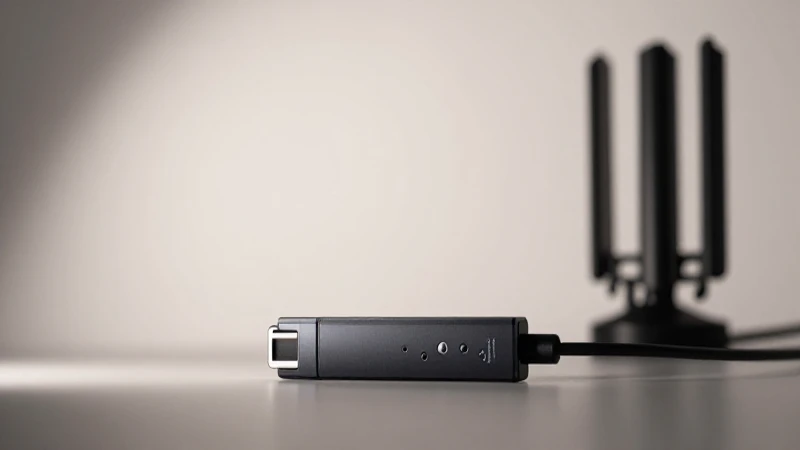
Once the SIM card is securely in place, connect the dongle to your computer’s USB port. This will generally prompt your operating system to recognize the device, and it may automatically install the required drivers. If your system does not recognize the dongle, you may need to download the appropriate drivers from the Mobitel website.
Step 3: Open the Mobile Broadband Software
Most Mobitel dongles will come with a mobile broadband management software that allows you to control the settings. Open this software on your computer; you should see an interface displaying connection options and status.
Step 4: Access the Settings Menu
In the mobile broadband software, navigate to the settings or configurations tab. This section allows you to input the APN settings. Be vigilant in this step as any incorrect entries can lead to connectivity issues.
Step 5: Input the APN Settings
In the settings menu, you will see fields corresponding to the components of the APN settings discussed earlier. Carefully enter the following details for your APN settings for Sri Lanka Mobitel dongle:
- APN Name: mobitel
- Username: (leave this blank)
- Password: (leave this blank)
- MMSC: http://mms.mobitel.lk:10021/mmsc
- MMS Proxy: 10.20.30.1
- MMS Port: 8080
- Authentication Type: None
- APN Protocol: IPv4/IPv6
- APN Type: default,mms,supl
Step 6: Save the Settings
After entering all the necessary parameters, ensure to save these configurations. There should be an option within the software interface to save or apply changes. Failing to do this step may result in your settings being lost.
Step 7: Reconnect to the Internet
Once saved, disconnect and reconnect your Mobitel dongle from your computer. This action helps refresh the connection and ensures that the new APN settings take effect. You may also try restarting the software for added assurance.
Troubleshooting Common Issues with APN Settings
Even with the correct APN settings for Sri Lanka Mobitel dongle, users may occasionally encounter connectivity issues. Here are some common problems and solutions:
Issue 1: No Internet Connection
If you find that after configuration you still cannot connect to the internet, double-check the entered details against the recommended APN settings. A common mistake includes typographical errors or omitting certain components.
Issue 2: Slow Internet Speed
In cases where you can connect but experience exceptionally slow speeds, the issue may be related to signal strength or network congestion. Try relocating to a different area or restarting the dongle to check if the situation improves.
Issue 3: Unable to Send or Receive MMS
Multimedia Messaging Service (MMS) issues often arise from incorrect settings. Ensure that the MMSC URL, MMS Proxy, and MMS Port are all correct, as these settings are crucial for sending and receiving multimedia messages properly.
Advanced Configuration Options for Power Users
While the standard APN settings for Sri Lanka Mobitel dongle may suffice for most users, advanced users can tweak additional parameters to enhance their connection.
Using Different Connection Protocols
Advanced users can explore different APN protocols depending on their requirements. While IPv4 is suitable for basic users, those requiring advanced connectivity features may consider IPv6 or even dual-stack protocols to optimize performance.
Customizing Data Limits and Information
Some dongle configurations allow users to set data limits or monitor data usage. This feature is beneficial for those who have limited data plans or want to keep track of their consumption to avoid overages.
Implementing VPN Settings
For enhanced security and privacy, users may choose to implement VPN settings alongside their APN settings for Sri Lanka Mobitel dongle. Using a VPN can encrypt your data and provide a layer of anonymity while browsing the internet.
In conclusion, understanding and configuring the APN settings for Sri Lanka Mobitel dongle is crucial for securing a stable and reliable internet connection. By following this comprehensive guide, users can easily navigate the setup process while also troubleshooting any issues that may arise. Whether it’s ensuring fast internet speeds or resolving multimedia messaging problems, being well-versed in these settings can significantly enhance your overall online experience with Mobitel. Don’t hesitate to revisit this guide whenever you need assistance, as maintaining proper APN configurations is key to fully utilizing the capabilities of your Mobitel dongle.