When it comes to accessing mobile data and internet services in Saint Kitts and Nevis, one of the key elements is the correct configuration of your APN settings. The APN Saint Kitts Flow Kn settings are essential for ensuring that your mobile device connects to the internet seamlessly and without interruption. This guide will provide you with detailed information regarding the APN settings required for Flow customers in Saint Kitts and Nevis, helping you troubleshoot any connectivity issues and enhance your overall mobile experience.
Understanding Flow’s Mobile Network in Saint Kitts
Flow is one of the leading mobile service providers in Saint Kitts and Nevis, offering a range of services including mobile voice, text, and data plans. The APN Saint Kitts Flow Kn is specifically designed to work with Flow’s infrastructure, providing users with reliable connectivity and high-speed mobile internet. To ensure smooth operation, it is crucial that customers have the right APN configurations tailored for Flow’s network. The company invests heavily in developing its infrastructure to provide extensive coverage across islands, and the APN is a vital part of leveraging that investment effectively.
How to Set Up APN on Your Device
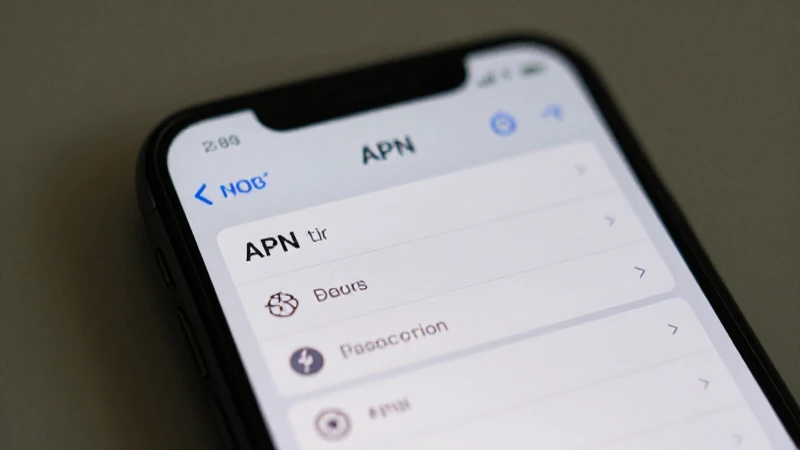
Setting up the APN Saint Kitts Flow Kn on your mobile device is relatively straightforward, but the steps may vary slightly depending on your operating system. Below are detailed instructions for both Android and iOS devices.
Setting Up APN on Android Devices
- Open the Settings app on your Android device.
- Scroll down and select Network & Internet.
- Tap on Mobile Network.
- Select Advanced options.
- Open the Access Point Names section.
- Tap on the + icon to add a new APN.
Configuring the APN Settings
Enter the following information to configure your APN Saint Kitts Flow Kn settings:
- Name: Flow
- APN: internet
- Username: (leave this field blank)
- Password: (leave this field blank)
- MMSC: http://mms.flow.com
- MMS Proxy: 209.249.202.1
- MMS Port: 80
- MCC: 344
- MNC: 100
- Authentication Type: None
- APN Type: default,mms,supl
Once you have entered all the details, make sure to save the settings and set the newly created APN as your active APN.
Setting Up APN on iOS Devices
- Open the Settings app on your iPhone.
- Tap on Cellular or Mobile Data.
- Select Cellular Data Network or Mobile Data Network.
Configuring the APN Settings
Input the details in the respective fields under the Cellular Data section:
- APN: internet
- Username: (leave this field blank)
- Password: (leave this field blank)
Next, under the MMS section, fill in the following:
- MMSC: http://mms.flow.com
- MMS Proxy: 209.249.202.1
- MMS Port: 80
Troubleshooting APN Issues
Despite following the necessary steps, you may still encounter issues with your APN Saint Kitts Flow Kn settings. Below are some common problems and their potential solutions.
No Internet Connection
If you find that your device is not connecting to the internet even with the right APN settings, the first step is to ensure that your mobile data is turned on. Check your device settings to confirm that you have allowed mobile data access. It might also be worthwhile to restart your device to refresh the network connection. In some cases, removing and reinserting your SIM card can resolve connectivity issues. Contacting Flow’s customer support may also provide you with additional assistance if the problem persists.
Slow Internet Speeds
Occasionally, users may experience slow internet speeds despite having proper APN Saint Kitts Flow Kn settings in place. Slow speeds can be due to network congestion or other factors unrelated to your device settings. Ensure you are in an area with good coverage and that there are no ongoing network outages in your vicinity. If speeds continue to be a problem, consider upgrading your plan with Flow for higher bandwidth options.
MMS Issues
If you are having trouble sending or receiving multimedia messages (MMS), check the APN Saint Kitts Flow Kn settings again. Ensure that the MMSC and MMS proxy settings are correctly configured. Sometimes, toggling airplane mode on and off can also help re-establish the connection. If APS settings appear to be correct and issues persist, contacting customer service will be necessary to determine if there are any account-specific problems.
FAQs About APN Settings for Flow in Saint Kitts
1. What should I do if I forgot my APN settings?
If you forget or misplace your APN Saint Kitts Flow Kn settings, the easiest solution is to refer back to Flow’s official website or customer service for the correct, updated settings. Most devices also offer a reset option where APN settings can revert to default values, usually associated with the carrier.
2. Can I set multiple APNs for different use cases?
Yes, most mobile devices allow you to create and store multiple APN settings. You can switch between them depending on whether you need to access standard mobile data, MMS, or specific corporate settings. However, only one APN can be active at a time.
3. Will resetting my device restore my APN settings?
Resetting your device to factory settings will typically erase all the stored APN settings, reverting them to default settings set by the manufacturer. You will need to manually re-enter the APN Saint Kitts Flow Kn settings afterwards for proper connectivity.
Understanding the APN Saint Kitts Flow Kn settings is crucial for optimizing your mobile data experience in Saint Kitts and Nevis. By properly configuring your device, you can unlock the full potential of Flow’s network and enjoy seamless internet access. This guide covered everything from the importance of APN settings, the step-by-step setup process on both Android and iOS, troubleshooting tips, and common questions users may have. If you encounter persistent issues, do not hesitate to seek help from Flow’s customer support, as they can provide tailored assistance to resolve any problems unique to your situation.